
Purpose: This is a guide on how to create a return without printing a physical label. Buyers returning items in the return portal have the option to select a normal label (to print) or a label-free option.
Related articles
→ How do I set up my return portal
→ How customers can make a return
Why support no-printing returns?
Below is a list of common reasons to support paperless returns:
- Statistics show that fewer households own a printer
- The importance of green delivery is growing rapidly
- Paperless return labels are easier for your customer
Supported carriers:
- DHL DE - direct contract
- GLS DE - direct contract
- DHL NL
- PostNL
- Bpost
- Evri dropoff
- Royal Mail Paperless returns are not supported via the return portal
Enable paperless returns
- Go to Returns > Return portal
- In the Return method, select At a drop-off point - Print at home
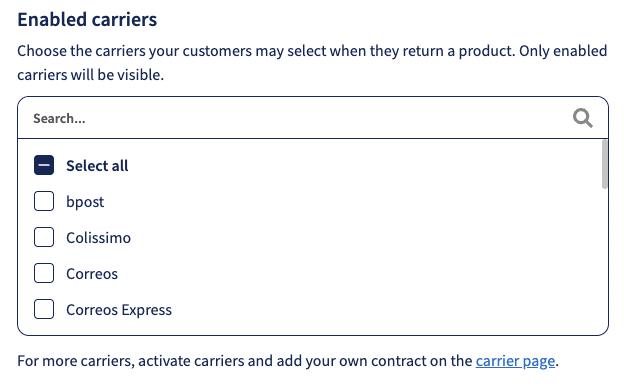
- Under Enabled carriers select preferred carrier
How customers can create a paperless return
If your customers have a service point within 10km they will find labelless return as one of the options in the return portal.
Your customer can select No printer needed or Print at home.
When shipping with DHL DE, the customer will receive a QR code, which will work the same as a label and can be shown at the Drop-off point. The customers receive a Tracking email, and attached to the email, there will be their QR code.
When it comes to DHL NL, the customer will not just receive a QR code but also a code they'll need to write on the shipment.
FAQ
Are all DHL and PostNL service points supporting this method?
Yes, all DHL service points support paperless returns.
Are Lockers also supporting this?
Yes, lockers also support DHL paperless returns.
In the future, will Sendcloud implement paperless returns with more carriers and countries?
Yes, we first tested paperless returns with DHL DE and are now expanding to DHL NL and soon PostNL. More carriers and countries might follow.
Can my users choose to print a label?
Yes, within the return portal your users can select No printer needed or Print at home.