
Why is my email address already registered?
If you're invited to join a Sendcloud account as a sub-user, but your email address is already associated with another Sendcloud account, your invitation email won't include a registration link. Instead, you'll see the message:
You are already registered.
This happens because your email address is still linked to an existing Sendcloud account. Before you can use it to accept the new invitation, you need to remove it from the existing account.
How to free up your email address
Follow these steps to release your email address from your existing Sendcloud account and use it to accept a new sub-user invitation.
-
Open your invitation email.
If your email address is already registered with Sendcloud, you'll see a message indicating that you're already registered.
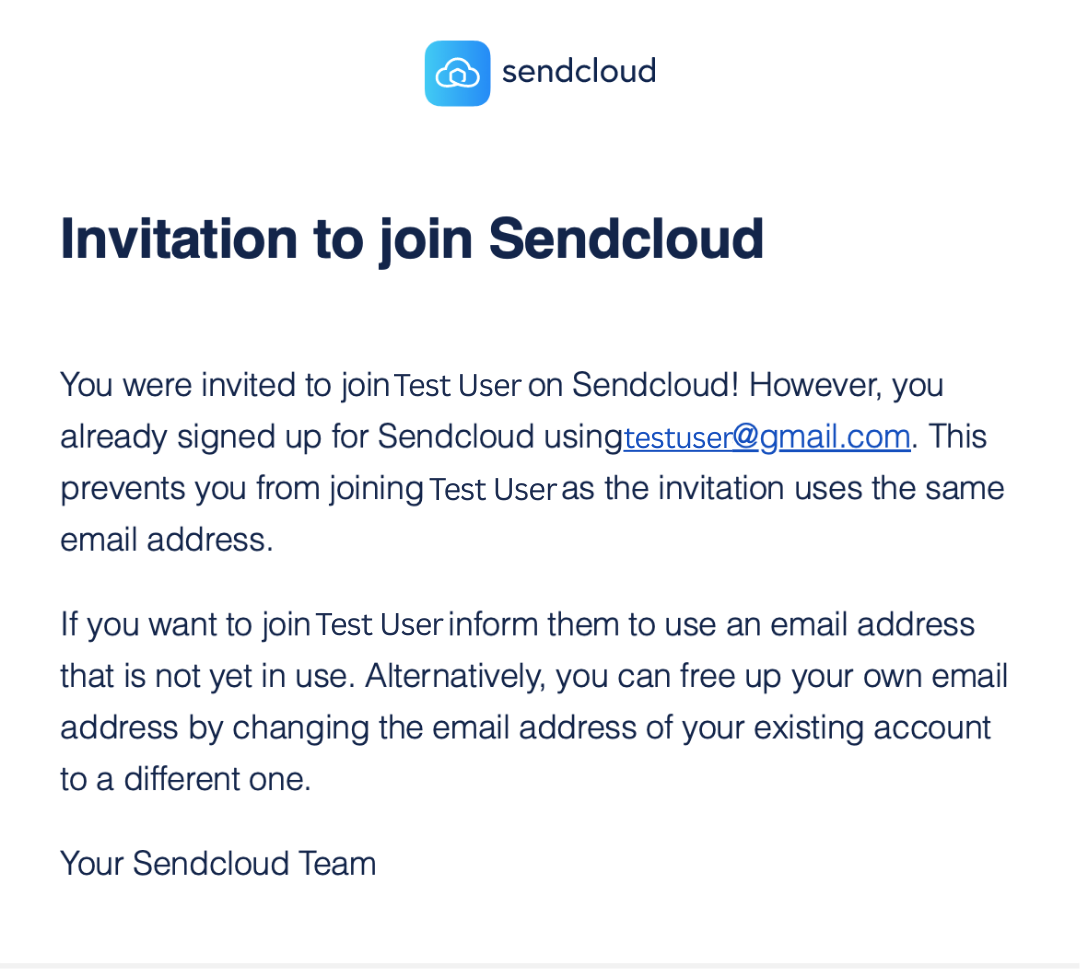
-
Log in to your existing Sendcloud account.
Log in to the account currently associated with the email address you want to use for the new invitation. If you don't remember your password, you can reset your password .
-
Add and verify a new email address.
Go to Settings > Account and add a different email address. Complete the verification process for the new address.
-
Set the new email address as primary.
Once the new email address is verified, make it your primary email address.
-
Remove your original email address.
Remove the original email address from your existing account. This is necessary to make it available for use with another Sendcloud account.
Note: Changing your primary email address alone doesn't release your original email address. You must also explicitly remove it from the existing account. -
Request a new invitation.
Ask the account owner to resend the sub-user invitation to your original email address.
-
Accept the new invitation.
Open the new invitation email and follow the instructions to complete the registration process.
You're all set! You can now use your original email address to access the Sendcloud account you've been invited to.
Still having trouble?
If you can't access your existing account, or your original email address is still unavailable after completing these steps, contact our Support team for assistance.
Related articles: