
Purpose: This article explains how to use the Search Bar in the Sendcloud panel to quickly find parcels, settings, features, carriers, integrations, and Help Center articles.
Where can I find the Search Bar?
The Sendcloud panel includes a global Search Bar that helps you quickly find parcels, settings, features, carriers, integrations, and Help Center articles from anywhere in the platform.
The Search Bar is located at the top of the Sendcloud panel navigation:
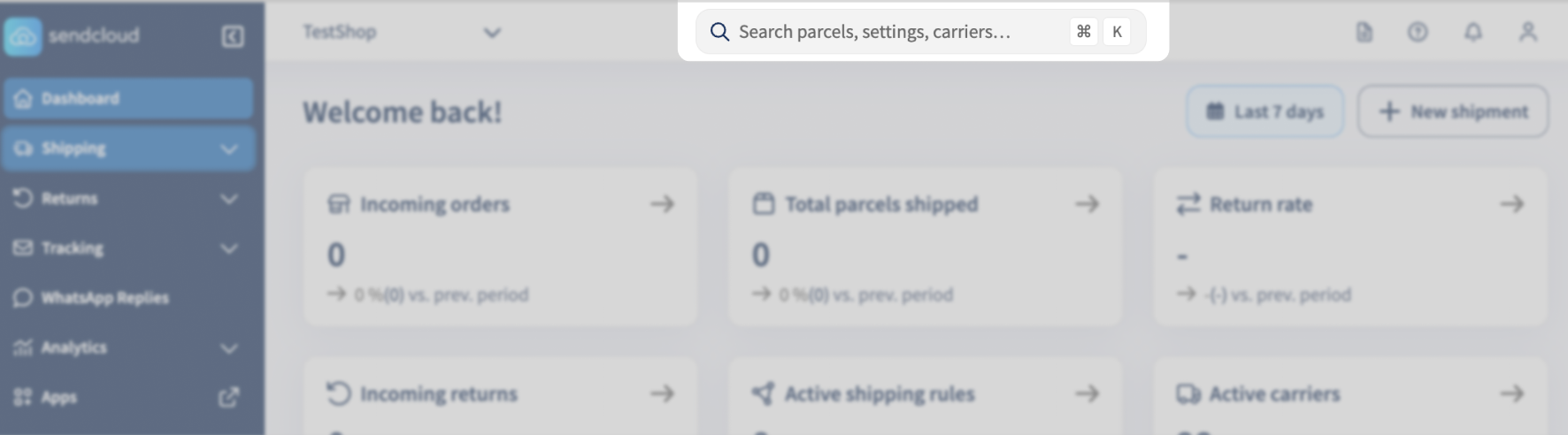
You can use it at any time to quickly navigate through the platform without manually opening multiple menus.
Results start appearing after you type at least 3 characters.
Recent searches
The Search Bar stores your most recent searches so you can quickly reopen frequently used pages or results.
Recent searches appear automatically when opening the search interface.
What can I search for?
The Search Bar helps you quickly find different types of content across the Sendcloud panel.
- Parcels and tracking numbers
- Settings and configuration pages
- Features and tools
- Carriers
- Integrations
- Help Center articles
How are results organised?
Search results are grouped into clear categories so you can find the right result faster.
- Recent searches
- Suggestions or Top results
- Settings
- Features
- Carriers
- Integrations
- Help articles
Language behaviour
The Search Bar matches the active language currently selected in your Sendcloud panel.
For example:
- If your panel language is set to English, search results will appear in English.
- If your panel language is set to Dutch, search results will appear in Dutch.
Cross-language search is currently not supported.
This means searching in English will not return Dutch results, and vice versa.
What happens if no results are found?
If your search does not return any results:
- Check your spelling
- Try a shorter or simpler keyword
- Use the same language as your Sendcloud panel
- Try a more general search term
For example, instead of searching for “billing recipient configuration”, try “invoice email”.
If you still cannot find what you are looking for, contact Sendcloud Support.
Frequently asked questions
Why do I not see any results?
Results only appear after entering at least 3 characters.
If you still do not see results, try refreshing the page or using a different keyword.
Can I search in multiple languages?
No. The current version of the Search Bar only supports results in your active interface language.
Is the Search Bar available for all users?
Yes. The Search Bar is available to all Sendcloud users.