
Purpose: This article explains how to process your end-of-day paperwork with the Landmark Global Manifest when you directly inject parcels into the carrier network.
If you directly inject parcels into the carrier network when shipping via Landmark Global, you must generate a manifest. With Sendcloud, this process is straightforward and can be done directly in the panel.
Generate a Landmark Global Manifest
In order to generate the manifest, follow these instructions:
-
Go to Shipping > Orders > Created Labels:
Open your Sendcloud panel and navigate to the Created Labels section. -
Select Labels:
Choose the labels you have already created. -
Generate Manifest:
Click Actions in the top right corner.
Select Manifest for Landmark Global from the dropdown menu: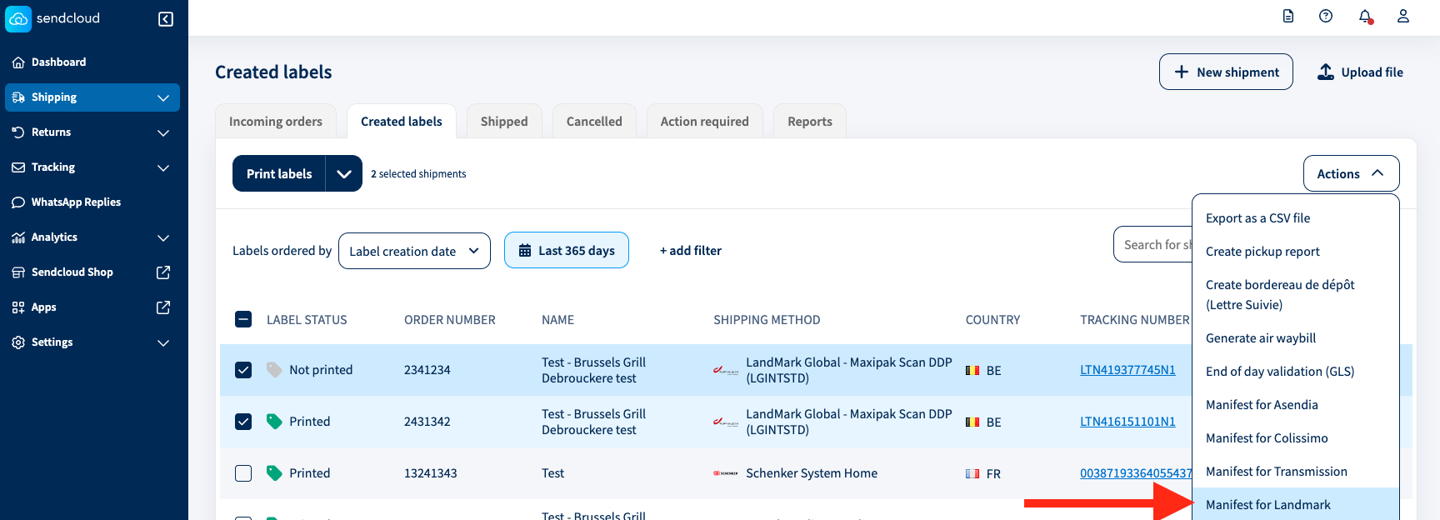
-
Download Report:
Navigate to the Reports section.
Download the report for your carrier: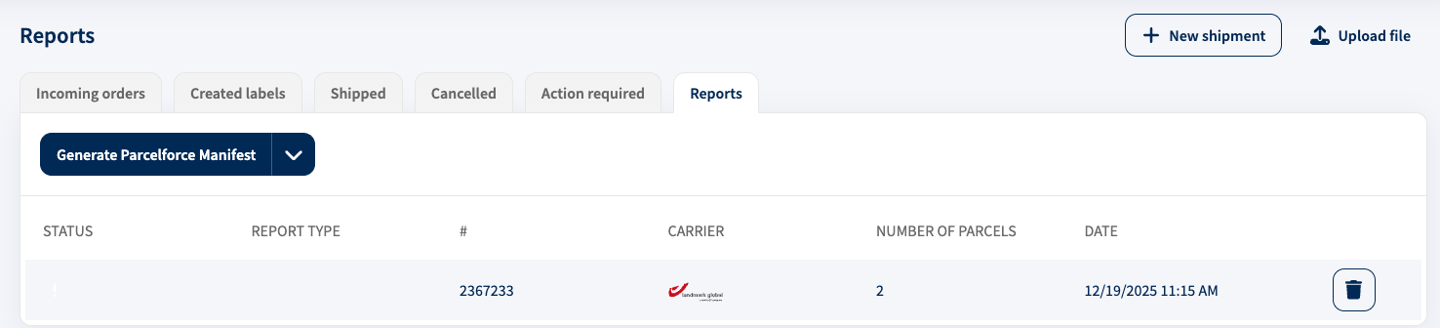
For further assistance, please refer to our support team.