
Purpose: Learn how to connect your own Raben contract with your Sendcloud account.
If you have your own contract with Raben, you can connect it to your Sendcloud account and ship using the rates and conditions agreed upon directly with the carrier.
Step 1: Activate your Sendcloud subscription
Sendcloud offers four subscriptions with which you can use your own carrier contract: Lite, Growth, Premium, and Pro.
For help choosing the plan that best fits your business, contact us via the support section of your Sendcloud account or compare Sendcloud plans and pricing.
Step 2: Enable your carrier contract
Once you have activated a Sendcloud subscription, you can connect your Raben contract.
- In your Sendcloud account, go to Shipping > Carriers.
- Search for Raben in the list of available carriers.
- Click Add contract.
- You're redirected to the contract activation page, where you can enter your Raben account details.
Step 3: Enter your Raben account details
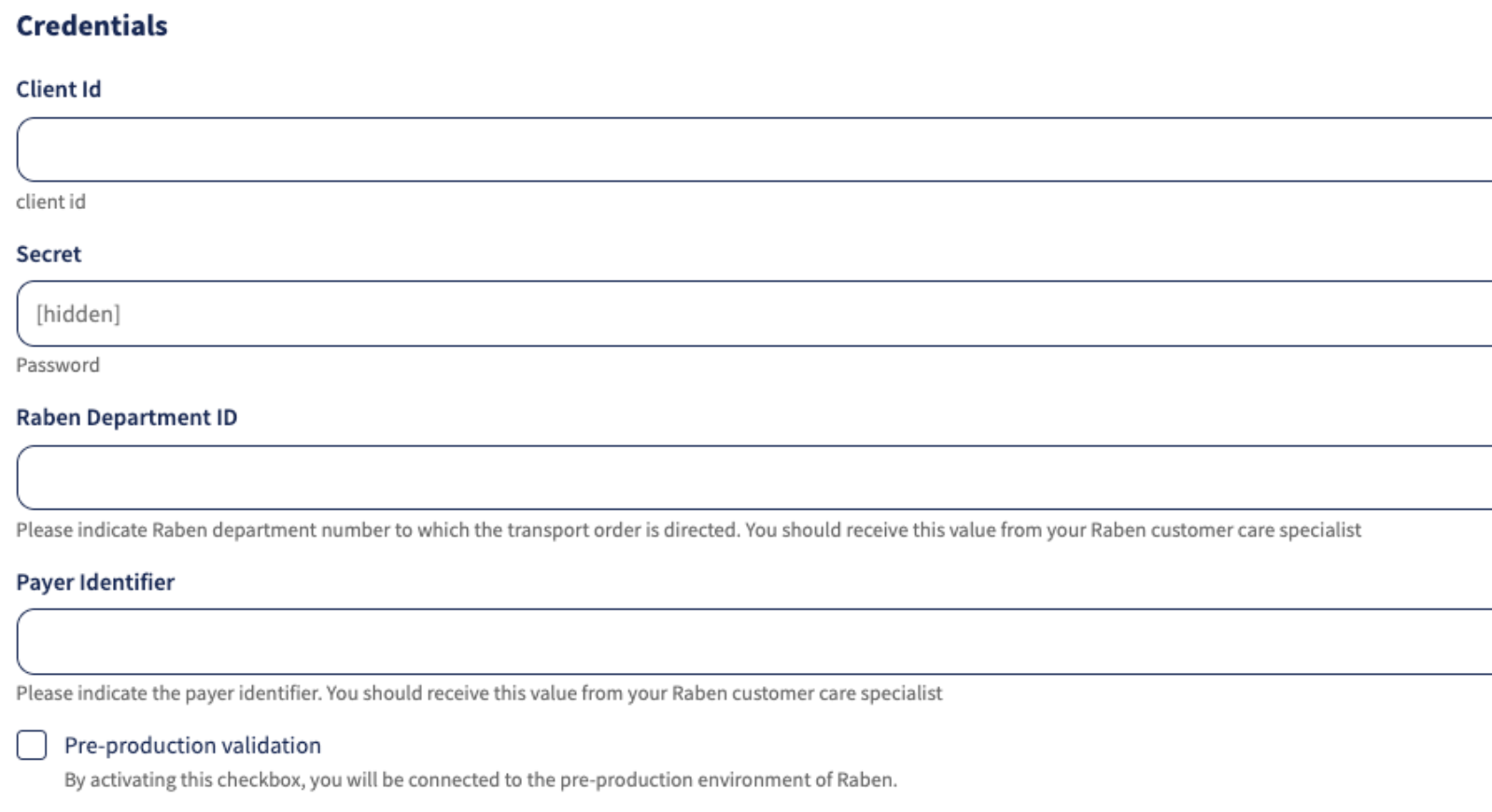
To activate your Raben contract, enter the following credentials provided by Raben:
- Client Id: Your Raben client identifier.
- Secret: Your Raben account secret (password).
- Raben Department ID: The Raben department number to which your transport orders are directed. You can obtain this information from your Raben customer care specialist.
- Payer Identifier: The identifier used to determine who pays for the transport. You can obtain this information from your Raben customer care specialist.
Next, fill in the contract settings:
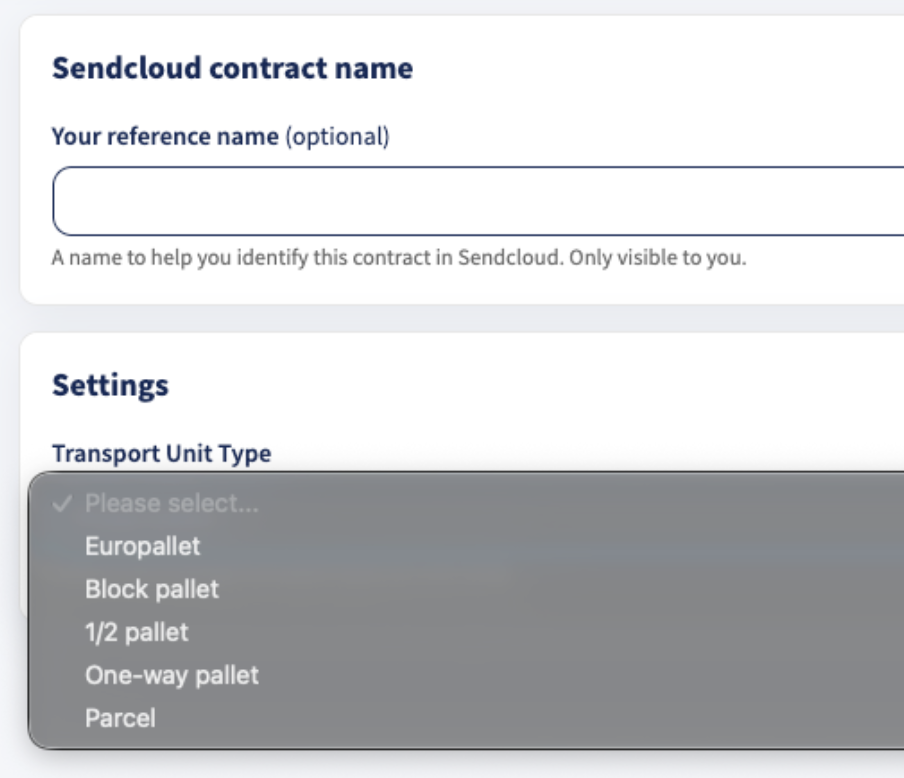
- Your reference name (optional): A name to help you identify this contract in Sendcloud. Only you can see it.
-
Transport Unit Type: Select the type of transport unit you use for your shipments. This setting determines which transport unit is communicated to Raben when creating a shipment. The available options are:
- Europallet
- Block pallet
- 1/2 pallet
- One-way pallet
- Parcel
Finally, review your rates in the Rates section.
Once you've entered all the required details, click Complete to complete the activation.
Done!
If you have followed the steps described above, your Raben contract should now be successfully linked to your Sendcloud platform, and you can begin shipping using your Raben rates. When you create a label with a Raben shipping method, the label price will now show as 0.00 EUR in your account.