
Purpose: learn how to change your invoice address and other financial information in your Sendcloud account.
Related articles
→ How do I change my bank account number?
→ Can I get an invoice with VAT shifted?
Change your invoice address
You might move your business somewhere else. In that case, you'll also want to make sure that all of your invoice details are still up-to-date. You can change your invoice address (and other details) by following these steps:
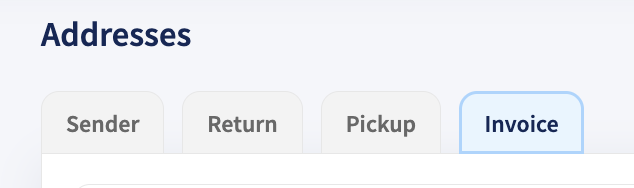
- Go to Settings > Addresses
- Click on
Invoice - Make the necessary changes
- Save your new invoice address
Why can't I change my invoicing country?
Your invoicing country is set up when you create your account and fill out the registration form. If you want to change your invoicing country, you can reach out to our Customer Support team.
Change additional invoice information
Maybe you're not relocating, but some other information is changing. In certain situations, you might want to change your COC number or VAT number. You can make those adjustments by following the same steps as mentioned above to Change your invoice address.
Why does my VAT number need to be VIES verified (Belgium, Spain, Italy, and Austria)?
Sendcloud is located in The Netherlands, which means that in order to use Sendcloud you'll need to enable your national VAT number. If this is correctly done, VIES will be able to verify the number, and you'll be able to create shipping labels within Sendcloud. This also means that due to intra-Community acquisition, we'll not invoice the tax (21%) on your shipments. However, you'll still need to declare your expenses with your local tax authorities.
Can I change the information on a previous invoice?
No, you can't change the information on a previous invoice. However, if you contact our support team via a support ticket providing the invoice number, they can re-generate the invoice with the new data. Keep in mind, this only possible for invoices within the same year.
How can I change my invoice mail address?
You can change the email address where you receive your invoices by following the steps here above. The option to update your email address is available there.
Note for Italian customers
If your company is based in Italy, you can optionally add your Codice Destinatario (SDI) to your billing address.
This code is required by some Italian companies to receive electronic invoices (Fattura Elettronica) through the national exchange system (Sistema di Interscambio - SDI).
For more details, see: Codice destinatario (SDI): cos’è e a cosa serve | Fatture in Cloud