
Applies to: All Sendcloud users shipping with Correos using their own contract
Important: mandatory Correos API migration Correos is introducing a new REST API and will shut down the current API on February 1st, 2026.
To avoid service disruption, all merchants using Correos must generate new API credentials and update them in Sendcloud before this date.
If the migration is not completed in time, Correos shipments will stop working.
To avoid service disruption, all merchants using Correos must generate new API credentials and update them in Sendcloud before this date.
If the migration is not completed in time, Correos shipments will stop working.
Correos API migration overview
What’s changing and what you need to do
Correos is replacing the current authentication method with a new system based on Correos ID.
What you need to do
- Generate new credentials (Client ID & Client Secret) via the Correos ID platform
- Request manual activation of these credentials by Correos
- Update the credentials in your existing Correos contract in Sendcloud
What credentials are required?
You will need the following new credentials:
- Client ID
- Client Secret
These credentials:
- Are generated in the Correos ID platform
- Do not work automatically
- Must be manually activated by Correos (Step 4) before they can be used
Steps to Follow
Step 1Access Correos ID
-
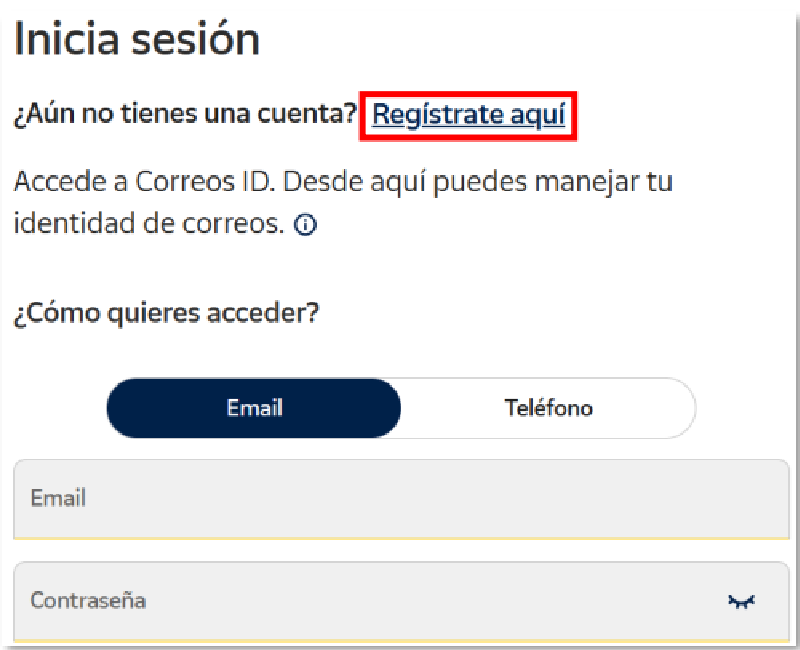
Go to the Correos ID platform:
https://identidad.correos.es/Login -
Click “Regístrate aquí”
Step 2Create your Correos ID account
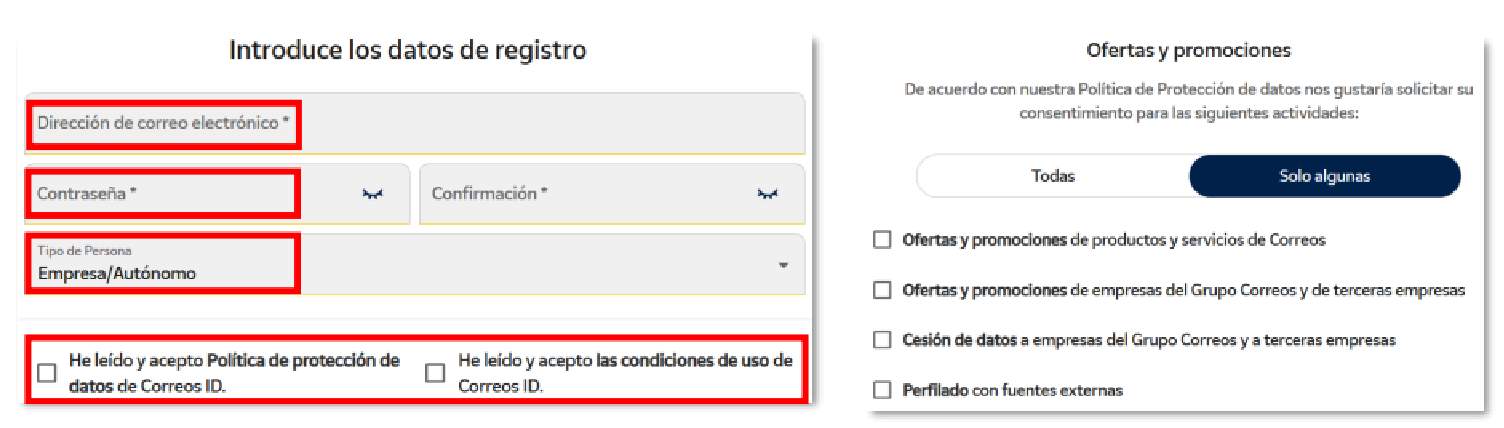
- Enter your email address and password
- Select “Empresa/Autónomo” as Tipo de Persona
-
Accept the Data Protection Policy
and
Terms of Use
-
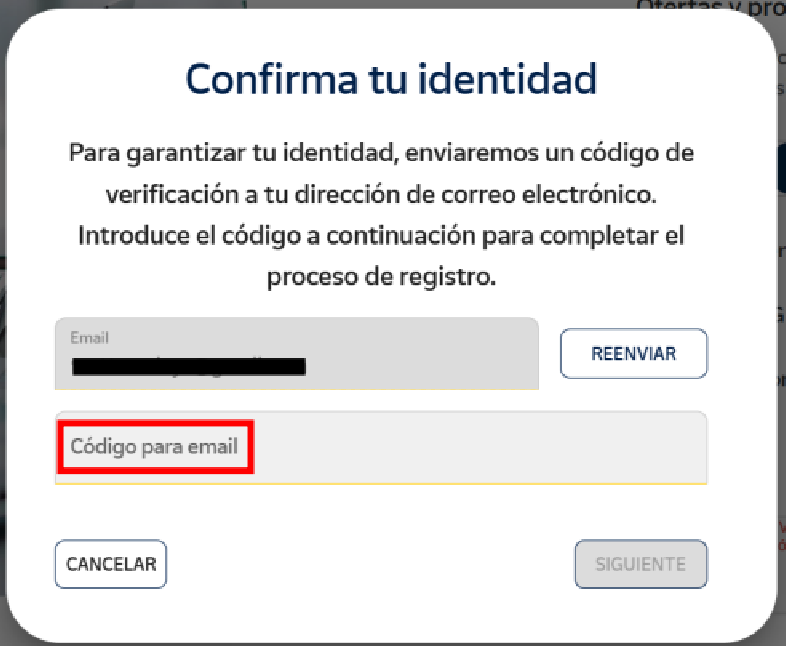
Confirm your email address by entering the
verification code you received by
email
(Código para email)
-
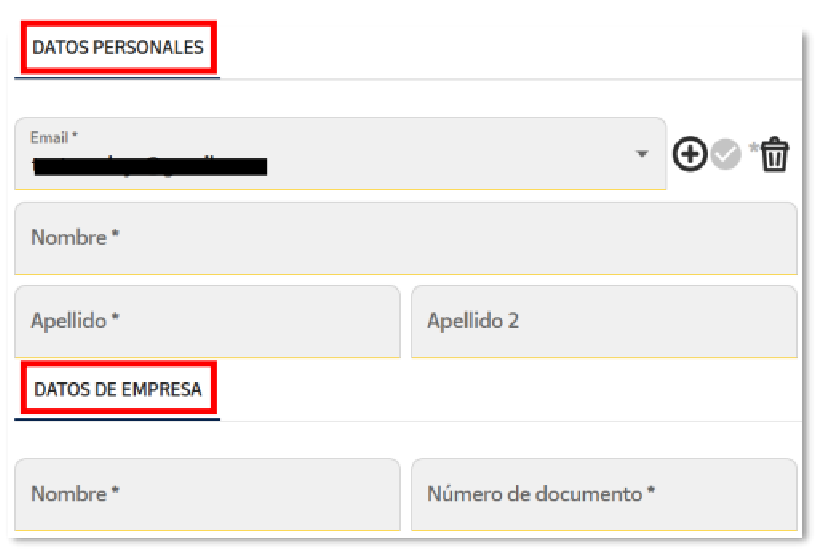
Complete:
- Personal details (Name and Surname)
- Company details (Business name and Tax ID / Número de documento)
This process is required before you can create API credentials.
Step 3Generate your new API credentials
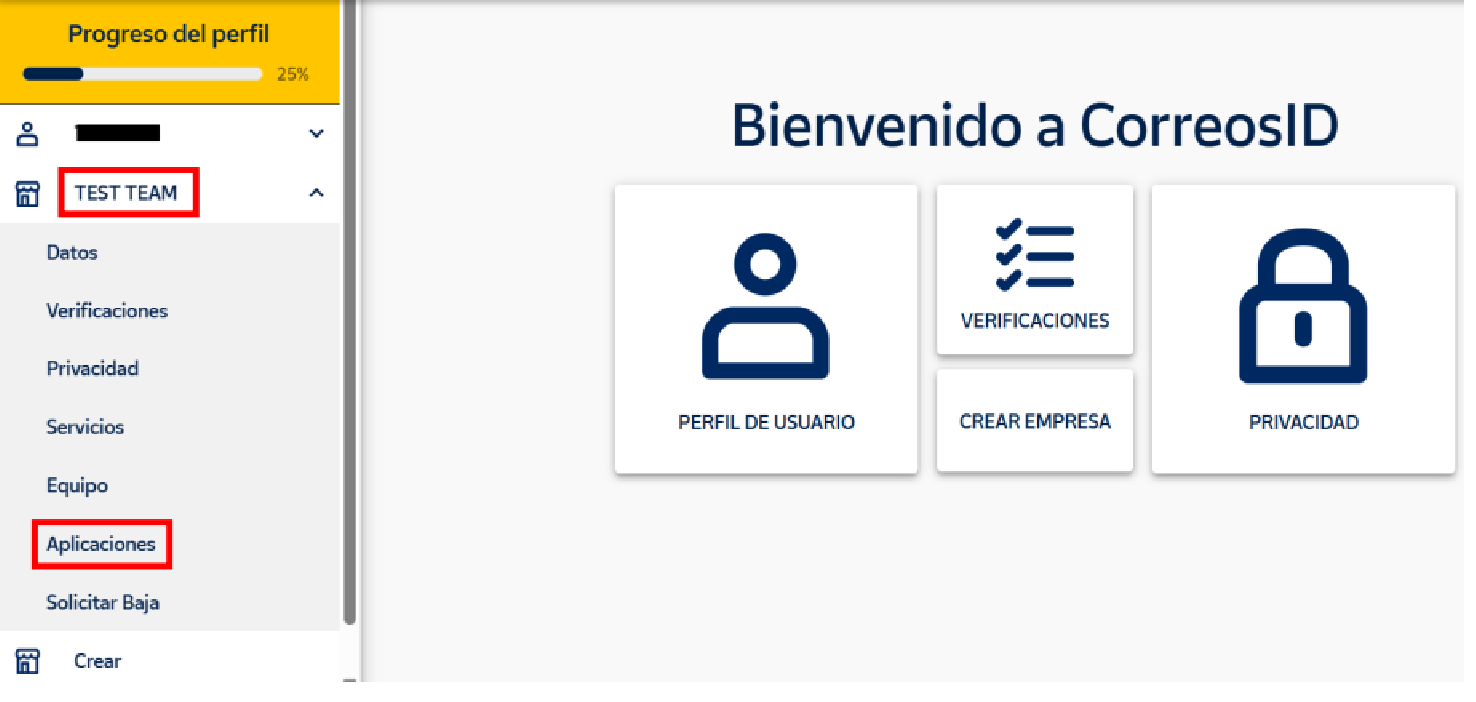
- Once logged in to Correos ID, open the left-hand menu
- Click on your company name
-
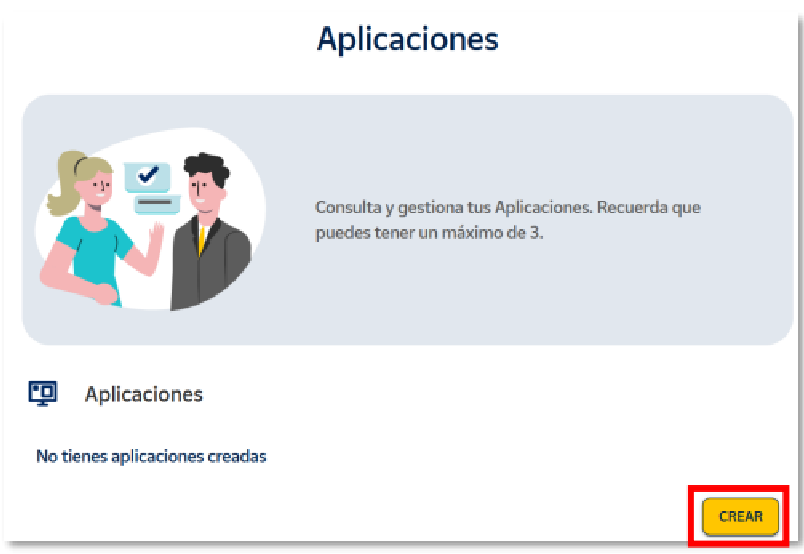
Go to Aplicaciones
-
Click CREAR
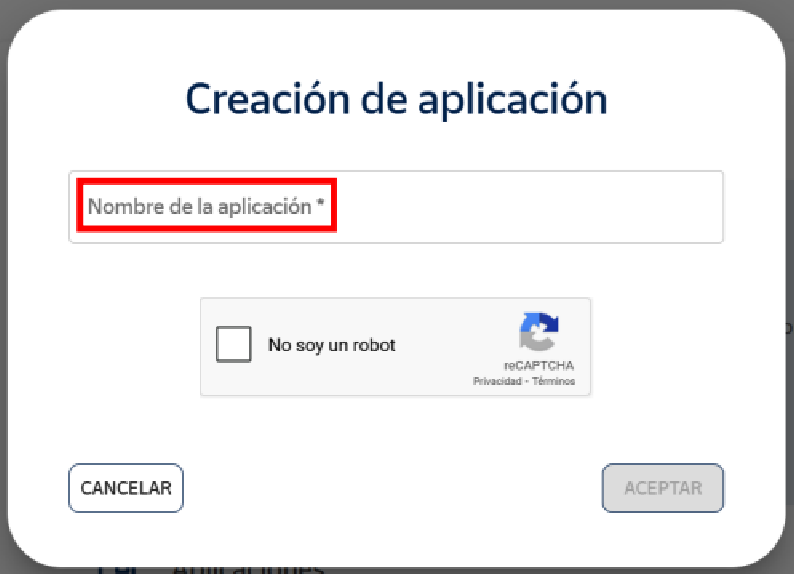
- Enter an application name (for example, your shop or company name)
-
Complete the CAPTCHA and confirm
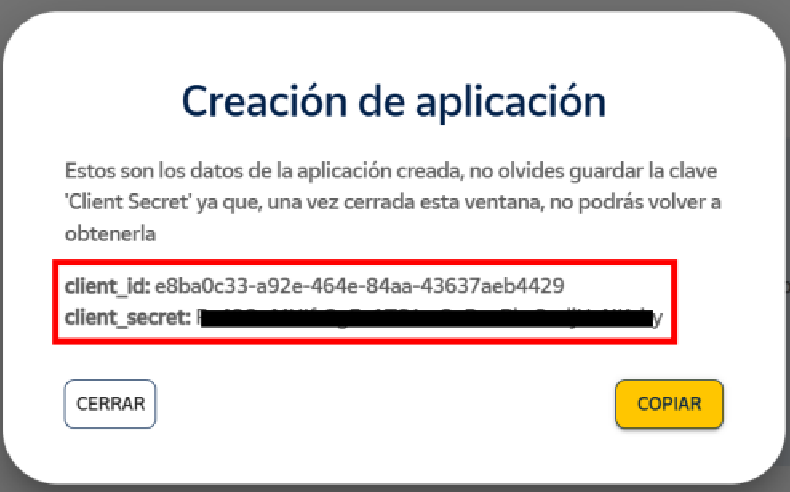
After creation, you will see:
- Client ID
-
Client Secret
⚠️ Important
- The Client Secret is shown only once
- Save it immediately
- If lost, you must reset it (this will invalidate the previous secret)
Step 4Request activation from Correos (mandatory)
Your new credentials will not work until they are activated by Correos.
You must:
- Contact your Correos Sales Manager (Gestor/a Comercial)
- Ask them to activate your new Correos ID credentials
This activation is done manually by Correos and is required before continuing.
Step 5Update your credentials in Sendcloud
Once your credentials have been activated:
- Go to your Sendcloud panel
- Navigate to Shipping > Carriers
- Open the My contracts tab
- Select Correos
-
Update the following fields:
- Correos ID → Client ID
- Correos ID Secret → Client Secret
- Save your changes
Your existing Correos contract will now use the new API.
Extra: How to reset your Correos Client Secret
- Go to the Correos ID platform:
https://identidad.correos.es/Login - Log in with your Correos ID account
- Open the left-hand menu and click on your company name
- Go to Aplicaciones
- Find the application linked to Sendcloud
- Click the lock icon next to the application to reset the secret
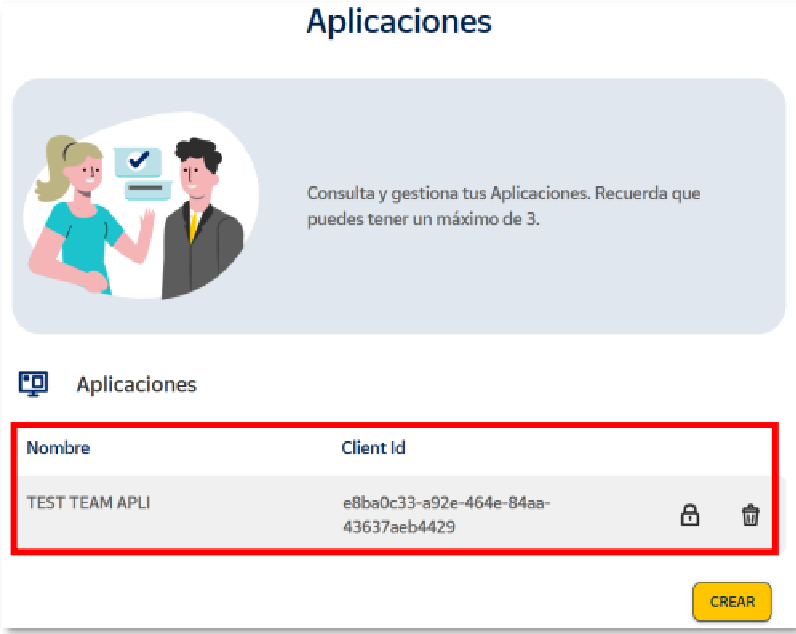
- A new Client Secret will be generated and shown only once
- Save the new Client Secret immediately
- Go to your Sendcloud panel and update the Correos ID Secret field in your Correos contract
⚠️ Important:
- Resetting the secret immediately invalidates the previous one
- Shipments will fail until the new secret is updated in Sendcloud
- If needed, contact your Correos Sales Manager to confirm activation
Important notes
- If you reset your Client Secret in Correos ID, you must update it again in Sendcloud
- Deadline: February 1st, 2026
- If the migration is not completed before this date, Correos shipping will stop working
- No contract re-creation is required, only a credential update
Need help?
If you have questions about:
- Your Correos contract → contact your Correos Sales Manager
- Updating credentials in Sendcloud → contact Sendcloud Support via your account