
Purpose: Learn how Live rates work with your direct carrier contract, which carriers support them, and what to do when a shipping price is unavailable or differs from your carrier invoice.
How Live rates work
Live rates let you see an estimated shipping price from your own carrier contract in Sendcloud before creating a shipping label.
When you connect a supported direct carrier contract to your Sendcloud account, Live rates are automatically enabled for that carrier. No additional setup is required.
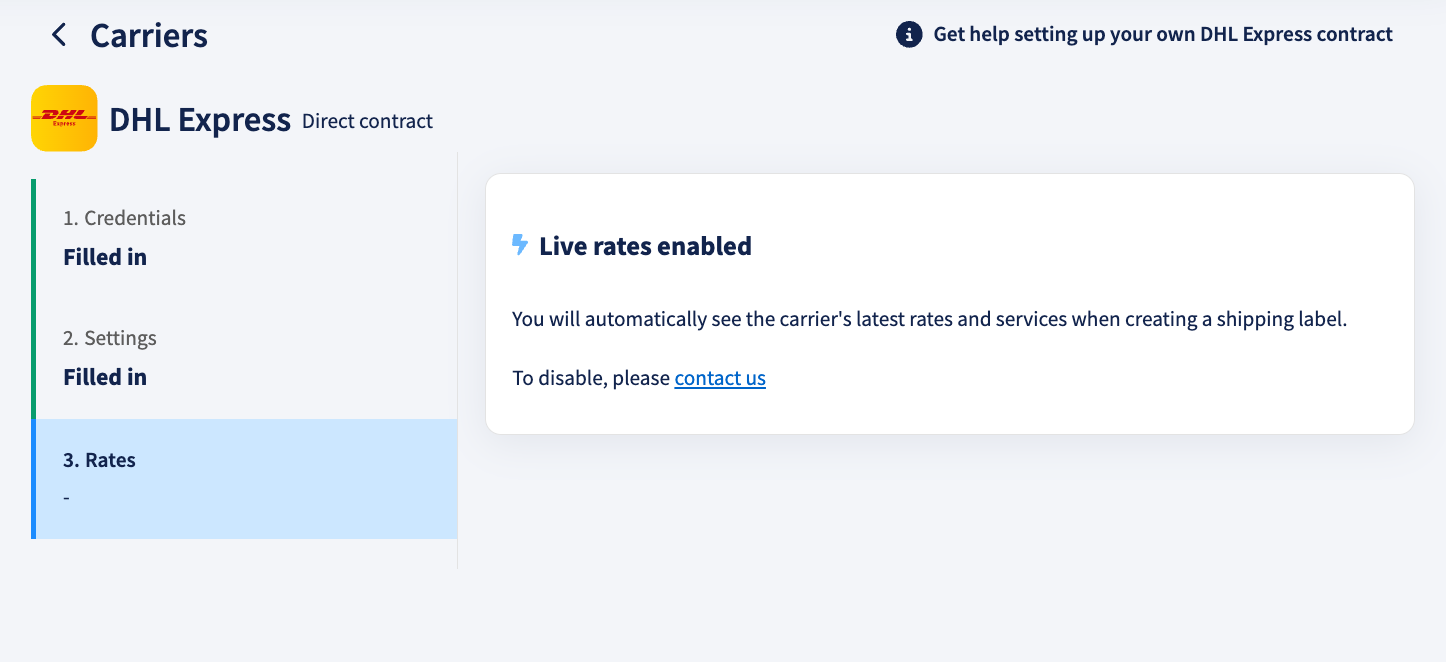
How are Live rates calculated?
- Enter the sender, receiver, and parcel information in Sendcloud.
- Sendcloud checks whether you have an active direct contract with a carrier that supports Live rates.
- Sendcloud sends the shipment information to the carrier using the credentials connected to your contract.
- The carrier calculates an estimated price based on your contract and shipment details.
- Sendcloud displays the estimated price next to the available shipping method.
The calculation normally takes a few seconds. Whenever a new calculation is needed, Sendcloud requests an updated price from the carrier.
💡 Tip: Complete the shipment details before selecting a shipping method. Missing information may prevent the carrier from returning a price.
Requirements for seeing Live rates
Live rates appear automatically when your carrier contract and shipment meet the necessary requirements. You do not need to activate an additional setting or purchase an add-on.
Make sure that:
- You have your own direct contract with a supported carrier.
- Your carrier contract is activated in Sendcloud.
- Your carrier credentials are valid and up to date.
- The receiver's address is complete.
- A valid parcel weight has been entered.
- The selected shipping service is included in your carrier contract.
Expand the sections below for more information about the address and parcel details used to calculate Live rates.
Required address information
Make sure the receiver's address contains:
- Street name and house number
- City
- Postal code
- Country
- State, province, or region when required (for example, in Italy and Spain)
If the receiver's address is incomplete, Sendcloud may be unable to request a price from the carrier.
Parcel dimensions
Enter the parcel's actual length, width, and height to help the carrier calculate an accurate shipping price. Carriers may use these dimensions to calculate volumetric weight, which can affect the shipping cost.
If parcel dimensions are missing, Sendcloud may use default dimensions of 10 × 10 × 10 cm in certain rate calculations. However, this does not apply to every carrier or shipping method.
Some shipping methods require parcel dimensions before a price can be calculated. In these cases, missing dimensions may prevent Sendcloud from displaying a shipping price.
💡 Tip: Always enter the parcel's actual dimensions, especially for large or lightweight parcels. This helps improve the accuracy of the estimated shipping price and reduces the risk of differences between the estimate and the final carrier invoice.
Supported carriers
Live rates are available for direct contracts with the following carriers:
- UPS
- FedEx
- DHL Express
- GLS Italy
- GLS Spain
- TNT Italy
- SEUR
- NACEX
For carriers that do not support Live rates, you may need to add your contract prices using another method, such as uploading a contract price file.
Carrier-specific information
Select your carrier below to learn more about how its Live rates work.
UPS
UPS Live rates require a modern UPS connection using OAuth authentication.
If your UPS contract was connected using older credentials, reconnect it in Sendcloud.
Sendcloud requests negotiated contract rates from UPS. However, UPS may return a public list price when negotiated rates are not enabled for the selected service on your UPS account.
If a UPS price is much higher than expected, contact your UPS account manager to confirm that negotiated rates are enabled for the relevant service and account.
Reconnecting your UPS contract can resolve missing prices, but it will not add a service to your negotiated UPS agreement. Contract changes must be handled directly by UPS.
FedEx
FedEx Live rates are linked to the account number connected to your direct contract.
Sendcloud may need to request a rate separately for each FedEx shipping method. If many methods are available, some prices may take longer to appear.
The displayed price breakdown may show the fuel surcharge separately, while other discounts or surcharges are included in the total.
DHL Express
DHL Express calculates an account-specific estimate for each shipping method.
Fuel, insurance, signature, and age-check costs may be displayed separately. Other costs may be included in the base amount.
If the displayed price differs from your expected contract price, first check the parcel dimensions and volumetric weight.
GLS Spain
GLS Spain calculates a single price using information such as the origin and destination countries, postcodes, weight, volume, and number of parcels.
It does not provide a detailed surcharge breakdown.
Parcel dimensions may not be fully reflected in the Live rate. The final invoice can therefore be higher for large or bulky parcels.
GLS Italy
GLS Italy can take longer to return a price than other carriers.
If no price appears, refresh the page and try again. International shipments may not always receive a Live rate.
SEUR, NACEX, and TNT Italy
These carriers support Live rates for activated direct contracts.
Their calculations may contain fewer surcharge details than calculations from UPS, FedEx, or DHL Express.
As a result, the final carrier invoice may contain additional charges that were not included in the Live rate estimate.
Where Live rates appear
Live rates can appear in the following areas of the Sendcloud panel:
- The New Shipment Form (Create label)
- The Edit Order View
- The Incoming Orders view
- The manual return form
The estimated price is normally displayed next to the shipping method and may be labelled as an Indicative total price.
When a shipping price is unavailable
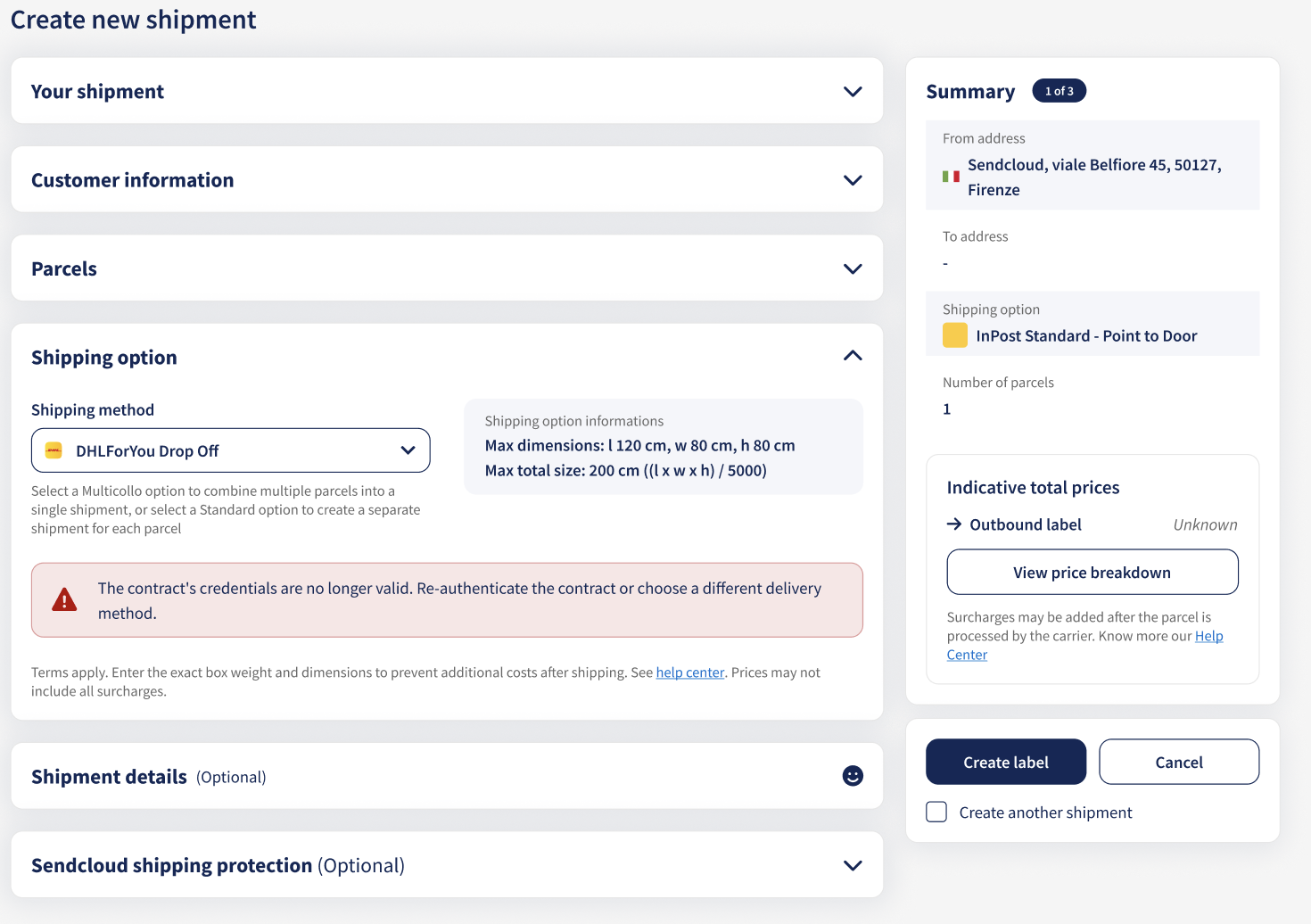
If Sendcloud cannot display a shipping price, you may see Unknown together with a message explaining why the price is unavailable.
In the New Shipment Form and Edit Order View, these messages can help you identify the issue and, when applicable, suggest an action to resolve it.
💡 Missing parcel dimensions?
Some shipping methods require parcel dimensions to calculate an accurate price. If dimensions are missing, Sendcloud may ask you to enter them.
For transactional shipping rates, the following message may appear:
"Add the parcel dimensions to get an accurate shipping price"
Enter the parcel's actual length, width, and height to help calculate a more accurate price.
Using Live rates through the API
Live rates can also be requested through Sendcloud API v3 using the shipping options endpoint with quote calculation enabled.
The request must include complete sender and receiver address information, together with the required parcel information.
Live rates are not supported through Sendcloud API v2. Integrations using API v2 will not receive Live rates.
Where Live rates are not displayed
Live rates are not displayed in:
- The Shipping prices page
- Analytics
- Label details after a label has been created
- Tracking emails
- Your webshop checkout through this feature
Why can the price differ from your carrier invoice?
A Live rate is an estimate calculated before the parcel is shipped. The final amount on your carrier invoice may differ.
Common reasons for price differences
- Additional surcharges: The carrier may add residential, remote-area, congestion, or address-correction fees.
- Incorrect weight: The carrier may reweigh the parcel after collection.
- Volumetric weight: The carrier may charge based on the parcel's dimensions instead of its actual weight.
- Missing dimensions: The dimensions used for the estimate may differ from the parcel's actual dimensions.
- Carrier-specific calculations: Some carriers include more surcharges in their Live rate calculations than others.
- Contract conditions: A particular service, destination, or surcharge may not be covered by your negotiated contract price.
The price displayed in Sendcloud is an estimate provided by the carrier. Your carrier determines the final invoiced amount.
When investigating a price difference, compare the shipment information entered in Sendcloud with the information used by the carrier:
- Actual parcel weight
- Parcel dimensions
- Sender and receiver postcodes
- Selected shipping service
- Additional options, such as signature or insurance
- Surcharges shown on the carrier invoice
What to do when no price appears
If a shipping method displays Unknown instead of a price, Sendcloud may show a message explaining why the price is unavailable.
Depending on the issue, the message may suggest an action, such as checking your shipment details, updating your carrier contract credentials, or choosing another shipping method.
If you use uploaded contract prices instead of Live rates, Sendcloud may also prompt you to upload missing prices.
First, check the message displayed in Sendcloud. If you still cannot see a price, follow the troubleshooting steps below.
Understand the pricing error messages
Pricing messages help explain why a shipping price is unavailable. The messages you see depend on your carrier and pricing method.
Common issues include:
- No price for the selected shipping method or route: The carrier may not have a price available for the selected destination, parcel weight, or shipping method.
- Missing contract prices: No uploaded price is available for the selected contract, destination, or shipping method. If available, select Upload prices to add them.
- Carrier pricing service unavailable: The carrier cannot return a price at the moment. Try again later.
- Invalid carrier credentials: Your carrier contract may need to be re-authenticated.
- Missing or invalid parcel information: Check the parcel's weight and dimensions.
Depending on the issue, you may need to check your shipment details, update your carrier contract, try again later, or choose another shipping method.
Can I still create a shipping label? Some pricing errors only affect the displayed price, while others prevent label creation. Follow the instructions shown in Sendcloud.
Troubleshooting steps
1. Check the receiver's address
Confirm that the street, house number, city, postal code, and country are complete.
For destinations that require one, also enter the state, province, or region.
An incomplete address can prevent the carrier from calculating a Live rate.
2. Check the parcel weight
Enter a valid parcel weight. Do not leave the weight empty, and make sure the selected weight unit is correct.
3. Check the parcel dimensions
Enter the parcel's actual length, width, and height as whole numbers.
Avoid entering zero, negative values, or unrealistic dimensions.
Some shipping methods require dimensions to calculate an accurate price.
4. Check the carrier contract
Go to your carrier settings and confirm that the correct direct contract is active.
Make sure the account number, credentials, and other authentication details are valid and up to date.
5. Check whether the shipping service is included in your contract
A carrier may return prices for some shipping methods but not for others.
If only one shipping method is missing a price, that service may not be enabled or priced under your carrier contract.
6. Refresh and try again
Live rates depend on the carrier's system. If the carrier is responding slowly or is temporarily unavailable, a price may not appear.
Wait briefly, refresh the page, and open the shipping method menu again.
7. Check for uploaded contract prices
If contract prices have already been uploaded for the carrier, Sendcloud may display those prices instead of requesting Live rates.
Uploaded prices and Live rates cannot be combined for the same carrier contract.
FAQ
Do I need to activate Live rates?
No. Live rates appear automatically when you have an active direct contract with a supported carrier and the shipment contains all required information.
Are Live rates Sendcloud rates?
No. When you use a direct carrier contract, the rate is calculated by the carrier using your own carrier account.
Will Sendcloud invoice me for the displayed price?
Normally, no. When you use your own direct carrier contract, the carrier invoices you directly.
Sendcloud only displays the estimate returned by the carrier.
Is the displayed price guaranteed?
No. It is an indicative price based on the information available before the parcel is shipped.
The carrier can add charges after measuring, weighing, or processing the parcel.
Why does the price change when I refresh the page?
Sendcloud requests a new price from the carrier whenever a new calculation is made.
The price may change when shipment information, carrier surcharges, or carrier-side pricing changes.
Why do some shipping methods have a price while others do not?
The carrier may not offer every shipping method for the selected destination, parcel, or contract.
A missing price for one method does not necessarily mean there is a problem with the carrier connection.
Can I display these rates in my webshop checkout?
Not through this feature. Live rates are available in supported areas of the Sendcloud panel and through Sendcloud API v3.
Checkout shipping prices are configured separately.
Can I use both uploaded prices and Live rates?
Not for the same carrier contract. If uploaded contract prices are present, they may take priority over Live rates.
For example, you cannot normally use uploaded prices for international shipments and Live rates for domestic shipments under the same carrier contract.
Still no Live rate?
If you've followed the troubleshooting steps and still cannot see a shipping price, contact Sendcloud Support.
To help us investigate, include the following information:
- The affected carrier
- The shipping method
- The sender and receiver countries and postcodes
- The parcel weight and dimensions
- The exact error message displayed in Sendcloud, if available
- A screenshot showing the missing price and any accompanying error message
- The price you expected, when applicable