
Purpose: learn how to find out which user in your Sendcloud account created a specific shipment, and how to use this to trace errors back to a packer or measure packer productivity.
If you manage a team of employees who pick, pack, and announce shipments in Sendcloud, you can now retrieve the ID of the user who created each shipment. This is mainly useful for merchants with multiple packers who want to:
- Trace shipping errors back to the packer who created the shipment. If a shipment was packed incorrectly or the wrong label was used, you can find out who created it.
- Measure packer productivity. You can see how many shipments each packer created and build your own reporting on top of this.
Retrieve who created a shipment
You can retrieve this information through the Events API, which returns a list of events for your organization. Each event includes the user_id of the user who performed the action, the affected shipment, the operation (create, update, or delete), and when it happened.
A shipment can have more than one event over time, for example one for its creation and another for a later update. To find out who created it, filter on operation=create.
For the full list of parameters and response fields, read the Events API reference.
Find out who created a specific shipment
Use this if you want to trace a shipment that was packed incorrectly, or had the wrong label attached, back to the user who created it.
- Call the Retrieve shipments endpoint and pass the shipment's tracking number as the
tracking_numberparameter.
For example, passing tracking number3SYZXG2094203returns a shipment with the ID6b67970c-d288-4966-859d-c2b653ad7922. - Call the Retrieve a list of events endpoint. Set the
resource_idparameter to the shipment ID from step 1, and setoperationtocreate. -
The response includes the
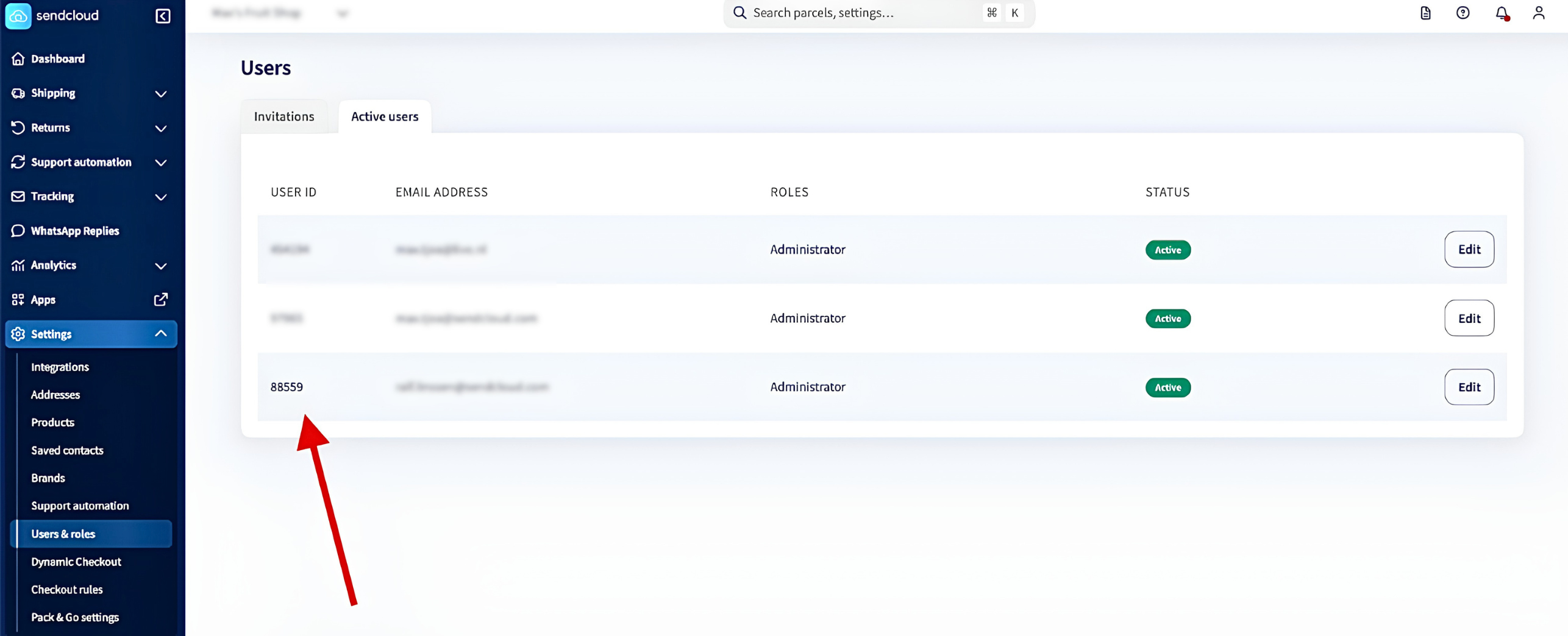
user_idof the user who created the shipment:{ "data": [ { "user_id": 97965, "actor_id": null, "organization_id": 97965, "resource_type": "shipment", "operation": "create", "resource_id": "6b67970c-d288-4966-859d-c2b653ad7922", "timestamp": "2026-07-14T08:50:14.477458Z" } ] } - In your Sendcloud panel, go to Settings > Users & roles > Active users to match the
user_idto the corresponding email address
Measure packer productivity
Use this if you want to build your own dashboard to track how many shipments each packer creates.
- Call the Retrieve a list of events endpoint with
operationset tocreateto see who created each shipment. - In your Sendcloud panel, go to Settings > Users & roles > Active users to match those user IDs to your packers.
- Use this data to set up your own dashboards and track whatever metrics you need.
Related articles
→ Sendcloud API documentation and Quick Start Guide
→ What are webhooks and how to set them up in Sendcloud?